DSPRelated.com
Add a Power Marker to a Power Spectral Density (PSD) Plot

Add a Power Marker to a Power Spectral Density (PSD) Plot

Neil Robertson
Still RelevantIntermediate

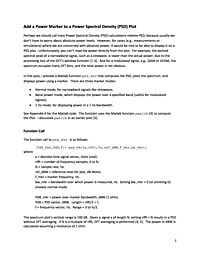
Perhaps we should call most Power Spectral Density (PSD) calculations relative PSD, because usually we don’t have to worry about absolute power levels.  However, for cases (e.g., measurements or simulations) where we are concerned with...

Summary

This blog explains how to add a calibrated power marker to a Power Spectral Density (PSD) plot, clarifying the distinction between relative and absolute PSD. Readers will learn practical steps for converting PSD bins to absolute power units, annotating plots, and why calibration matters for measurements and simulations.

Key Takeaways

  • Convert PSD values from per-bin/relative units to absolute power (e.g., dBm/dBW) using FFT bin width or equivalent noise bandwidth.
  • Calibrate measurements by accounting for system gain, receiver noise figure, and any scaling in the simulation or acquisition chain.
  • Add and annotate a power marker on a PSD plot (including code examples) so a single frequency/bin shows absolute power.
  • Interpret marker values correctly by considering windowing, spectral leakage, resolution bandwidth, and averaging effects.

Who Should Read This

Practicing signal processing engineers and researchers who produce or analyze PSDs and need to report or visualize absolute power measurements in plots.

Still RelevantIntermediate

Topics

FFT/Spectral AnalysisStatistical Signal ProcessingMATLAB/Simulink

Related Documents