Use of a Blackman Window
As Fig.8.4a suggests, the previous example can be interpreted
as using a rectangular window to select a finite segment (of
length  ) from a sampled sinusoid that continues for all time.
In practical spectrum analysis, such excerpts are normally
analyzed using a window that is tapered more gracefully to
zero on the left and right. In this section, we will look at using a
Blackman window [70]8.3on our example sinusoid. The Blackman window has good (though
suboptimal) characteristics for audio work.
) from a sampled sinusoid that continues for all time.
In practical spectrum analysis, such excerpts are normally
analyzed using a window that is tapered more gracefully to
zero on the left and right. In this section, we will look at using a
Blackman window [70]8.3on our example sinusoid. The Blackman window has good (though
suboptimal) characteristics for audio work.
In Octave8.4or the Matlab Signal Processing Toolbox,8.5a Blackman window of length  can be designed very easily:
M = 64;
w = blackman(M);
Many other standard windows are defined as well, including hamming, hanning, and bartlett windows.
In Matlab without the Signal Processing Toolbox, the Blackman window is readily computed from its mathematical definition:
w = .42 - .5*cos(2*pi*(0:M-1)/(M-1)) ...
       + .08*cos(4*pi*(0:M-1)/(M-1));
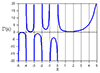
Figure 8.5 shows the Blackman window and its magnitude spectrum on a dB scale. Fig.8.5c uses the more ``physical'' frequency axis in which the upper half of the FFT bin numbers are interpreted as negative frequencies. Here is the complete Matlab script for Fig.8.5:
M = 64;
w = blackman(M);
figure(1);
subplot(3,1,1); plot(w,'*'); title('Blackman Window');
xlabel('Time (samples)'); ylabel('Amplitude'); text(-8,1,'a)');

% Also show the window transform:
zpf = 8;                      % zero-padding factor
xw = [w',zeros(1,(zpf-1)*M)]; % zero-padded window
Xw = fft(xw);                 % Blackman window transform
spec = 20*log10(abs(Xw));     % Spectral magnitude in dB
spec = spec - max(spec);      % Normalize to 0 db max
nfft = zpf*M;
spec = max(spec,-100*ones(1,nfft)); % clip to -100 dB
fni = [0:1.0/nfft:1-1.0/nfft];   % Normalized frequency axis
subplot(3,1,2); plot(fni,spec,'-'); axis([0,1,-100,10]);
xlabel('Normalized Frequency (cycles per sample))');
ylabel('Magnitude (dB)'); grid; text(-.12,20,'b)');

% Replot interpreting upper bin numbers as frequencies<0:
nh = nfft/2;
specnf = [spec(nh+1:nfft),spec(1:nh)];  % see fftshift()
fninf = fni - 0.5;
subplot(3,1,3);
plot(fninf,specnf,'-'); axis([-0.5,0.5,-100,10]); grid;
xlabel('Normalized Frequency (cycles per sample))');
ylabel('Magnitude (dB)');
text(-.62,20,'c)');
cmd = ['print -deps ', '../eps/blackman.eps'];
disp(cmd); eval(cmd);
disp 'pausing for RETURN (check the plot). . .'; pause
![\includegraphics[width=\twidth]{eps/blackman}](http://www.dsprelated.com/josimages_new/mdft/img1515.png) |
 , and c) same thing plotted
over
, and c) same thing plotted
over
 .
.
Applying the Blackman Window
Now let's apply the Blackman window to the sampled sinusoid and look at the effect on the spectrum analysis:
% Windowed, zero-padded data:
n = [0:M-1];          % discrete time axis
f = 0.25 + 0.5/M;     % frequency
xw = [w .* cos(2*pi*n*f),zeros(1,(zpf-1)*M)];

% Smoothed, interpolated spectrum:
X = fft(xw);

% Plot time data:
subplot(2,1,1);
plot(xw);
title('Windowed, Zero-Padded, Sampled Sinusoid');
xlabel('Time (samples)');
ylabel('Amplitude');
text(-50,1,'a)');

% Plot spectral magnitude:
spec = 10*log10(conj(X).*X);  % Spectral magnitude in dB
spec = max(spec,-60*ones(1,nfft)); % clip to -60 dB
subplot(2,1,2);
plot(fninf,fftshift(spec),'-');
axis([-0.5,0.5,-60,40]);
title('Smoothed, Interpolated, Spectral Magnitude (dB)');
xlabel('Normalized Frequency (cycles per sample))');
ylabel('Magnitude (dB)'); grid;
text(-.6,40,'b)');
Figure 8.6 plots the zero-padded, Blackman-windowed sinusoid, along with its magnitude spectrum on a dB scale. Note that the first sidelobe (near
 dB) is nearly 60 dB below the spectral peak (near
 dB). This is why the Blackman window is considered adequate for
many audio applications. From the dual of the convolution
theorem discussed in §7.4.6, we know that
windowing in the time domain corresponds to smoothing in
the frequency domain. Specifically, the complex spectrum with
magnitude displayed in Fig.8.4b (p.
dB). This is why the Blackman window is considered adequate for
many audio applications. From the dual of the convolution
theorem discussed in §7.4.6, we know that
windowing in the time domain corresponds to smoothing in
the frequency domain. Specifically, the complex spectrum with
magnitude displayed in Fig.8.4b (p. ![[*]](../icons/crossref.png) )
has been convolved with the Blackman window transform (dB
magnitude shown in Fig.8.5c). Thus, the Blackman window
Fourier transform has been applied as a
smoothing kernel to the Fourier transform of the rectangularly
windowed sinusoid to produce the smoothed result in Fig.8.6b. This
topic is pursued in detail at the outset of Book IV in the music
signal processing series [70].
)
has been convolved with the Blackman window transform (dB
magnitude shown in Fig.8.5c). Thus, the Blackman window
Fourier transform has been applied as a
smoothing kernel to the Fourier transform of the rectangularly
windowed sinusoid to produce the smoothed result in Fig.8.6b. This
topic is pursued in detail at the outset of Book IV in the music
signal processing series [70].
![\includegraphics[width=\twidth]{eps/xw}](http://www.dsprelated.com/josimages_new/mdft/img1517.png)
Next Section:
Hann-Windowed Complex Sinusoid
Previous Section:
FFT of a Zero-Padded Sinusoid